

The hiring process includes many steps. Some are completed by hiring managers, while others are handled by your partners in HR.
ACC HR now offers a documented Staff Hiring Governance Framework. You may also use the following Step by Step hiring instructions to support your work.
Here’s a quick overview of the 7 steps for hiring staff.
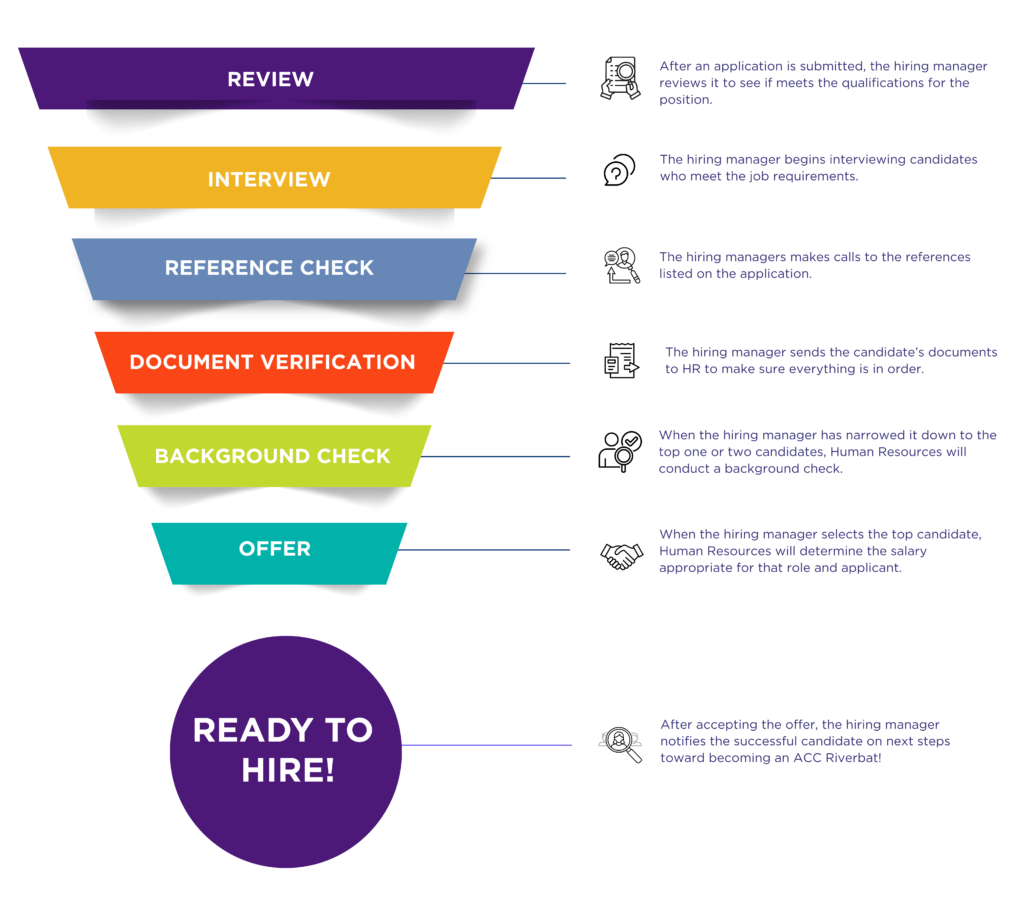
Step by Step
The hiring process can be broken down into the following six sections. Click on each + sign to reveal a series of steps to take.
- Read job profile (submit TDX ticket to update summary or description)
- Verify Funding Source (add in Justification field)
- Initiate Requisition in Workday (existing, new, or multiple positions)
- Approval Flow Begins (Cost Center Manager, VC/EVC if new or reclass)
- HR Reviews and Approves Requisition
- Budget Approval (if new position)
- VC of HR Approval (if internal-only)
- Assign Search Committee (in requisition stage)
- Share Requisition # with Committee
- HR Posts Job (open minimum 10 business days)
- Pre-schedule Interviews (Manager + Committee)
- Candidates Apply (internal/external link)
- Review & Decline Unqualified Applications
- Identify Candidates with Veteran / Foster Child Preference
- Move Qualified Candidates to Interview Stage
- Conduct Interviews
- Committee submits feedback in Workday
- Manager Submits ‘Manage Interview Feedback’ Task
- Top Candidate(s) → Reference Check Stage
- Complete and Upload References
Document Review & Background Check
- Manager Submits Interview and Reference Notes
- Move Finalist to Background Check Stage
- Prompt Candidate to Approve Background Check Waiver (within 4 days)
- HR Begins Salary Placement (Contingent Offer)
- Hiring Manager Checks in with Candidate as HR Moves through Placement and Offer Process
- If Cleared → Move to Offer Stage
- HR Extends Offer to Candidate
- Candidate Accepts Offer & Completes Onboarding Tasks (SSN, DOB, etc.)
- Primary Recruiter: Move to ‘Ready for Hire’ & Disposition Others
- Employee Appears in Workday
- HR Updates Colleague System
- Set Up ACC ID & Email
- Complete Final Onboarding Tasks (transcripts if needed)
- Submit I-9 in Person (within 3 days of hire)
- Attend Orientation & Complete Compliance Training
You’ll find Support Resources including job aids, quick guides, and videos for almost all hiring processes on the Workday tab. Do you need one you can’t find? Let us know by submitting a TDX service ticket.
How to do these things in Workday?
Explore our Job Aids and Support Resources here.
Back to Top